React 19 changed how we handle async state with the use() API, but it didn't change a fundamental reality: components still crash. When a promise rejected inside a component render loop back in React 18, you usually ended up with unhandled rejection errors or custom state flags cluttering your code. React 19 pairs the use() hook directly with <Suspense> and classic error boundaries to clean this up, but the implementation details are easy to get wrong.
If you're pairing React 19 with Next.js 16 and a Laravel 12 backend, you need a crisp separation between server render failures, client network retries, and UI fallback states. Let's look at how to structure these boundaries without breaking layout hierarchy or falling into hydration traps.
Why Class Components Still Rule Error Boundaries
Despite years of hooks dominating React development, React 19 still does not provide a functional hook equivalent for componentDidCatch or static getDerivedStateFromError. If you want a native React error boundary without third-party packages, you must write a class component. Most production teams choose react-error-boundary (currently version 5.0.0), which wraps these lifecycle methods into a component wrapper.
Here is how a standard client-side data fetcher breaks without an explicit boundary: when use(promise) receives a rejected promise, React stops rendering that subtree immediately. It walks up the component tree looking for the nearest error boundary. If it doesn't find one, the entire React root unmounts, leaving your user with a blank screen.
import { Component, ReactNode } from 'react';

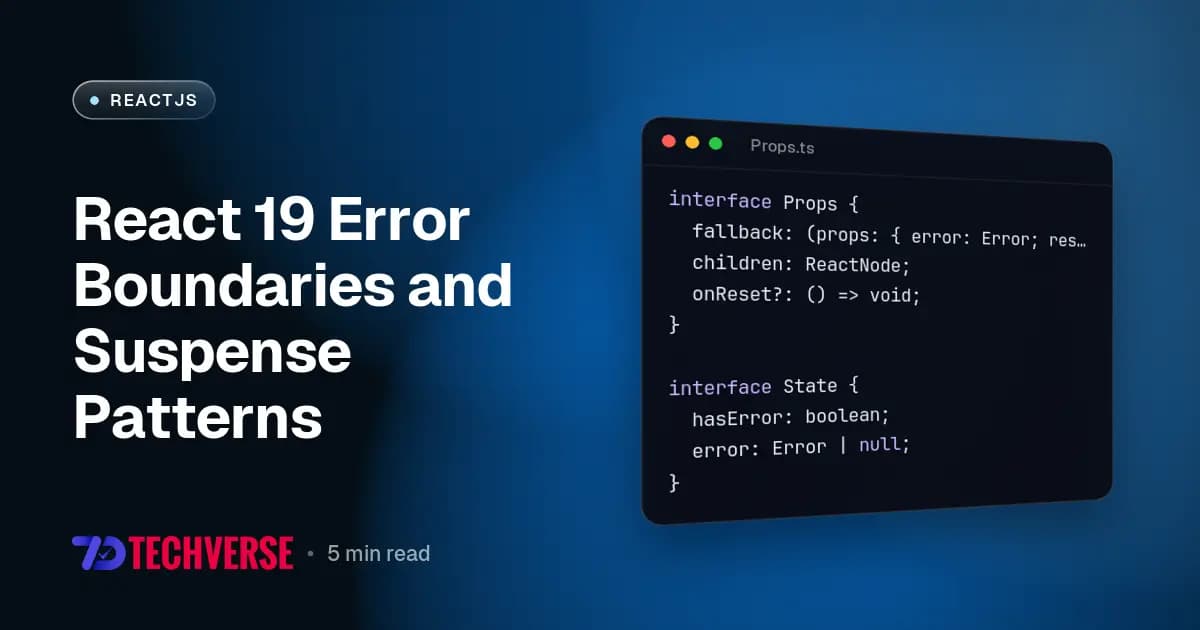
interface Props {
  fallback: (props: { error: Error; resetErrorBoundary: () => void }) => ReactNode;
  children: ReactNode;
  onReset?: () => void;
}

interface State {
  hasError: boolean;
  error: Error | null;
}

export class AppErrorBoundary extends Component<Props, State> {
  public state: State = {
    hasError: false,
    error: null,
  };

  public static getDerivedStateFromError(error: Error): State {
    return { hasError: true, error };
  }

  public componentDidCatch(error: Error, errorInfo: React.ErrorInfo) {
    console.error('Uncaught error inside boundary:', error, errorInfo);
  }

  public resetErrorBoundary = () => {
    this.props.onReset?.();
    this.setState({ hasError: false, error: null });
  };

  public render() {
    if (this.state.hasError && this.state.error) {
      return this.props.fallback({
        error: this.state.error,
        resetErrorBoundary: this.resetErrorBoundary,
      });
    }

    return this.props.children;
  }
}
This class component intercepts any render-phase JavaScript exception or rejected use() promise originating from its child tree. The key detail is resetErrorBoundary: clearing internal error state isn't enough on its own if the underlying data fetch will immediately fail again upon re-render.
Data Fetching with Suspense and the use() Hook
React 19 introduces the use() function, which can unwrap promises directly inside render. Unlike standard React hooks, use() can be called conditionally inside loops and early returns. However, passing an un-cached promise directly into use() creates an infinite render loop. You must cache the promise outside the render cycle or pass it down from a server component or state store.
When fetching data from a Laravel 12 API endpoint (for instance, /api/v1/user/profile returning a 403 Forbidden or 500 Internal Server Error), your client-side fetch client must throw an explicit error when response.ok is false. A raw fetch() call only rejects on network failures, not on HTTP error status codes.
When combined, <Suspense> handles the pending state while AppErrorBoundary catches HTTP failures thrown during execution.
'use client';

import { Suspense, useState, use } from 'react';
import { AppErrorBoundary } from './AppErrorBoundary';

const fetchUserProfile = (userId: string): Promise<{ name: string; email: string }> => {
  return fetch(`/api/v1/users/${userId}`, {
    headers: { Accept: 'application/json' },
  }).then((res) => {
    if (!res.ok) {
      throw new Error(`API error status: ${res.status}`);
    }
    return res.json();
  });
};

function UserProfileCard({ profilePromise }: { profilePromise: Promise<{ name: string; email: string }> }) {
  const profile = use(profilePromise);

  return (
    <div className="card">
      <h3>{profile.name}</h3>
      <p>{profile.email}</p>
    </div>
  );
}

export function UserSection({ userId }: { userId: string }) {
  const [promise, setPromise] = useState(() => fetchUserProfile(userId));

  const handleRetry = () => {
    setPromise(fetchUserProfile(userId));
  };

  return (
    <AppErrorBoundary
      onReset={handleRetry}
      fallback={({ error, resetErrorBoundary }) => (
        <div className="error-box">
          <p>Failed to load user profile: {error.message}</p>
          <button onClick={resetErrorBoundary}>Retry Request</button>
        </div>
      )}
    >
      <Suspense fallback={<div className="skeleton">Loading user profile...</div>}>
        <UserProfileCard profilePromise={promise} />
      </Suspense>
    </AppErrorBoundary>
  );
}
Structuring Retry Patterns That Actually Work
Notice the retry mechanism in the code above. If a user hits an error boundary caused by an API timeout, clicking "Retry" won't solve anything if the component simply re-renders with the exact same rejected promise object. React sees the cached promise instance, reads its rejected status, and immediately throws right back into the error boundary.
To implement a working retry pattern with React 19, your boundary recovery handler must perform two distinct steps:
- Reset the internal state of the Error Boundary to set
hasError: false. - Replace the rejected promise instance in your state container with a newly initiated promise.
If you use Next.js 16 Server Components, the server-client boundary slightly alters this flow. Next.js 16 uses error.js files as route-level error boundaries. Under the hood, error.js renders a React error boundary component. When you call the reset() function provided to Next.js 16 error.js components, Next attempts to re-render the Server Component route segment. If your server component threw an exception because PHP 8.3 / Laravel returned an unhandled 500 Server Error, re-rendering will attempt the server-side fetch again.
The Production Gotchas
1. Fetch HTTP Status Codes vs Network Errors
The native JavaScript fetch() API only rejects a promise when a network error occurs (like losing connection). If your Laravel backend returns a 422 Unprocessable Entity or a 500 Internal Server Error, fetch() resolves successfully with a response object where res.ok is false. If your code does not check res.ok and throw an explicit JavaScript Error, React 19's use() hook treats the response as successful data, passing an invalid response body to your UI and causing cryptic TypeError: Cannot read properties of undefined rendering errors downstream.
2. Hydration Mismatches in SSR Boundaries
When using Next.js 16 with Server-Side Rendering, if an error boundary catches an error on the server during pre-rendering, Next.js will render the fallback UI into the static HTML. When the client hydrates, if the client execution does not hit that same error condition immediately, React triggers a hydration failure warning: "Hydration failed because the initial UI does not match what was rendered on the server."
To avoid this, ensure server data fetching errors are handled at the Next.js server layer before streaming down to client boundaries, or isolate client-only boundaries using dynamic imports with ssr: false if the data operation relies strictly on browser APIs.
3. Placing Boundaries Too High
A common mistake is wrapping the entire layout inside a single top-level error boundary. When an isolated sidebar widget throws an uncaught error, your entire page collapses into a generic fallback. Place granular <Suspense> and error boundary pairs around independent content areas—like comments, user profiles, or analytics charts—so a failure in one panel leaves the rest of the application fully functional.
Combining React 19's use() hook with explicit class error boundaries gives you full control over async states. Keep your promise instantiation controlled, check your HTTP response codes explicitly before unwrapping, and isolate your boundary components to protect your user interface against isolated API failures.