In modern applications, it’s easy for users to accidentally click buttons that trigger critical operations — like deleting data or charging a customer. Laravel Livewire now makes handling these scenarios much easier with the wire:confirm directive. This feature lets you attach confirmation dialogs directly to your Livewire actions in a declarative, elegant way.
How It Works
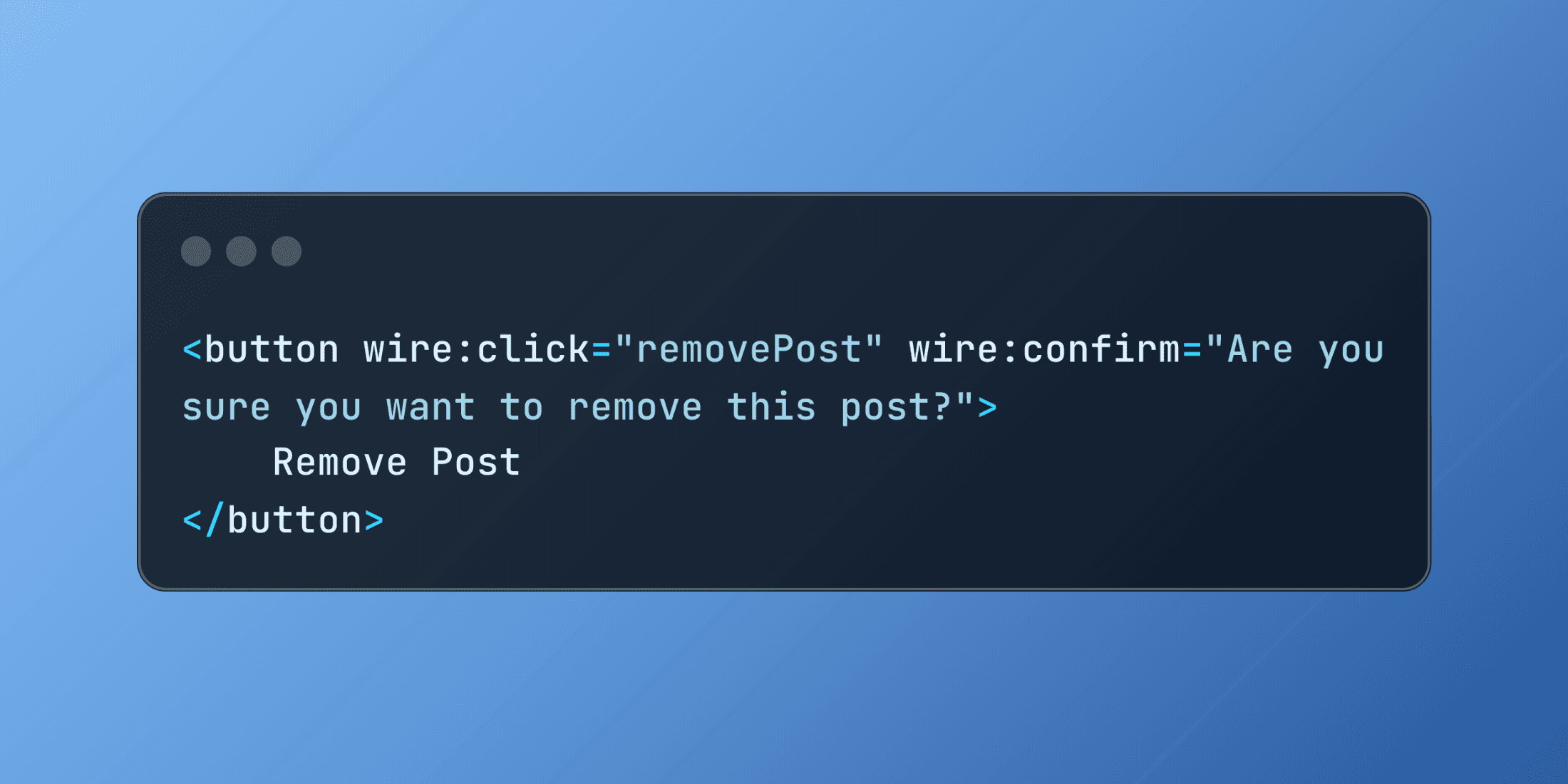
The wire:confirm directive integrates with the browser’s native confirmation dialog. When attached to an action, it asks the user to confirm before execution:
<button wire:click="removePost" wire:confirm="Are you sure you want to remove this post?">
    Remove Post
</button>
Clicking the button triggers a confirmation message. Only if the user confirms does Livewire run the removePost method.
Dynamic Confirmations
You can customize confirmation messages with dynamic values, making prompts clearer and context-specific:
<button wire:click="removePost({{ $post->id }})"
        wire:confirm="Are you sure you want to remove '{{ $post->title }}'?">
    Remove Post
</button>
Combining with Other Features
The directive works seamlessly with other Livewire capabilities. For example, combining confirmations with loading states prevents duplicate requests:
<button wire:click="processOrder"
        wire:loading.attr="disabled"
        wire:confirm="This action will charge the customer immediately. Continue?">
    Process Payment
</button>
A Practical Example: Content Management
Imagine a CMS that allows archiving, deleting, and updating article categories. The component logic might look like this:
class ContentManager extends Component
{
    public $articles;

    public function mount()
    {
        $this->articles = Article::published()->get();
    }

    public function archiveArticle($id)
    {
        $article = Article::findOrFail($id);
        $article->update(['status' => 'archived']);
        $this->articles = Article::published()->get();
        $this->dispatch('article-archived', ['title' => $article->title]);
    }

    public function deleteArticle($id)
    {
        $article = Article::findOrFail($id);
        $article->delete();
        $this->articles = Article::published()->get();
        session()->flash('success', 'Article permanently deleted.');
    }

    public function changeCategory($id, $newCategory)
    {
        $article = Article::findOrFail($id);
        $old = $article->category;
        $article->update(['category' => $newCategory]);
        $this->articles = Article::published()->get();

        Log::info('Category changed', [
            'article_id' => $id,
            'from' => $old,
            'to' => $newCategory,
        ]);
    }

    public function render()
    {
        return view('livewire.content-manager');
    }
}
And the Blade template could include multiple confirmation scenarios:
<div>
    @foreach ($articles as $article)
        <div class="article-card">
            <h3>{{ $article->title }}</h3>
            <p>Category: {{ $article->category }}</p>

            <button wire:click="archiveArticle({{ $article->id }})"
                    wire:confirm="Archive '{{ $article->title }}'? This will hide it from public view.">
                Archive
            </button>

            <button wire:click="deleteArticle({{ $article->id }})"
                    wire:confirm="Permanently delete '{{ $article->title }}'? This action cannot be undone.">
                Delete
            </button>

            <select wire:change="changeCategory({{ $article->id }}, $event.target.value)"
                    wire:confirm="Change category for '{{ $article->title }}'? This may affect its visibility.">
                <option value="news">News</option>
                <option value="tutorials">Tutorials</option>
                <option value="reviews">Reviews</option>
            </select>
        </div>
    @endforeach
</div>
Advanced: The .prompt Modifier
For highly sensitive actions, Livewire offers a .prompt modifier. Instead of a simple click, the user must type a confirmation phrase:
<button wire:click="deleteUserAccount"
        wire:confirm.prompt="This will permanently delete your account.\n\nType DELETE to confirm|DELETE">
    Delete Account
</button>
This ensures users deliberately confirm before proceeding.
Custom-Styled Confirmations with Alpine.js
If you want more control than the native dialog provides, you can integrate Alpine.js to create custom-styled modals:
<div x-data="{ showDeleteModal: false }">
    <button @click="showDeleteModal = true" class="btn-danger">Delete User</button>

    <div x-show="showDeleteModal"
         x-transition
         class="modal-overlay">
        <div class="modal-content">
            <h2>Confirm Deletion</h2>
            <p>Are you sure you want to permanently delete this user account?</p>

            <div class="modal-actions">
                <button wire:click="deleteUser"
                        @click="showDeleteModal = false"
                        class="btn-danger">
                    Yes, Delete
                </button>
                <button @click="showDeleteModal = false"
                        class="btn-secondary">
                    Cancel
                </button>
            </div>
        </div>
    </div>
</div>
This way, you can align confirmation dialogs with your app’s design system while keeping Livewire’s reactive behavior.