In this guide, you’ll learn how to pause and resume Laravel queue workers whenever you need—without stopping or restarting your worker processes. We’ll focus on long‑running queue:work processes managed from the CLI and show how to control specific connections and queues. You’ll also see how to pause queues indefinitely or for a fixed duration using both Artisan commands and application code.
What “Pausing a Queue” Means in Laravel
Before diving into commands and code, it’s important to understand what a paused queue actually does:
Pausing is scoped to a specific connection and queue, not global.
Running jobs are allowed to finish; they are not interrupted.
After the current job completes, workers stop pulling new jobs from the paused queue.
Worker processes keep running; nothing is killed or restarted.
When the queue is resumed, workers immediately begin processing jobs again.
In short, pausing lets you temporarily put a queue on hold without touching your process manager or worker lifecycle.
Pausing and Resuming Queues with Artisan
Artisan provides the most direct way to control queue pausing. This is especially useful in production shells, maintenance windows, or deployment scripts.
Starting a Worker for a Specific Connection and Queue
Assume you’re running a worker like this:
php artisan queue:work database --queue=default
This worker:
Uses the database queue connection (defined in
config/queue.php).Listens to the default queue.
As long as the process is running, it will continuously pull jobs from that queue.
Pausing a Queue from the CLI
To pause a queue, use the queue:pause command with the connection:queue format:
php artisan queue:pause database:default
What happens next:
Any workers currently processing
database / defaultfinish their active job.After that, they stop pulling new jobs from this queue.
The worker processes themselves keep running.
If you’re using Redis with a custom queue name, the command looks like this:
php artisan queue:pause redis:emails
Only workers listening to the emails queue on the redis connection are affected. Workers listening to other queues can continue as usual.
Resuming a Queue from the CLI
To resume processing on a paused queue, use queue:continue:
php artisan queue:continue database:default
After resuming:
Idle workers immediately start pulling jobs again.
Any jobs that accumulated while the queue was paused are processed normally.
The same applies to other queues:
php artisan queue:continue redis:emails
This works regardless of whether the queue was paused via Artisan or from application code.
Pausing and Resuming Queues Programmatically
In some cases, you’ll want to control queue pausing from within your application—for example, when an external service rate‑limits you or an admin toggles a feature in a dashboard.
Laravel exposes this functionality through the Queue facade and the underlying queue manager.
Pausing a Queue Indefinitely in Code
You can pause a queue indefinitely using Queue::pause:
use Illuminate\Support\Facades\Queue;

Queue::pause('database', 'default');
Key points:
The pause applies to the specified connection and queue.
The pause lasts until you explicitly resume the queue.
You can call this from controllers, commands, services, or jobs.
To resume the queue in code:
Queue::resume('database', 'default');Calling resume is safe even if the queue isn’t currently paused—it simply clears the pause flag.
Pausing a Queue for a Fixed Amount of Time
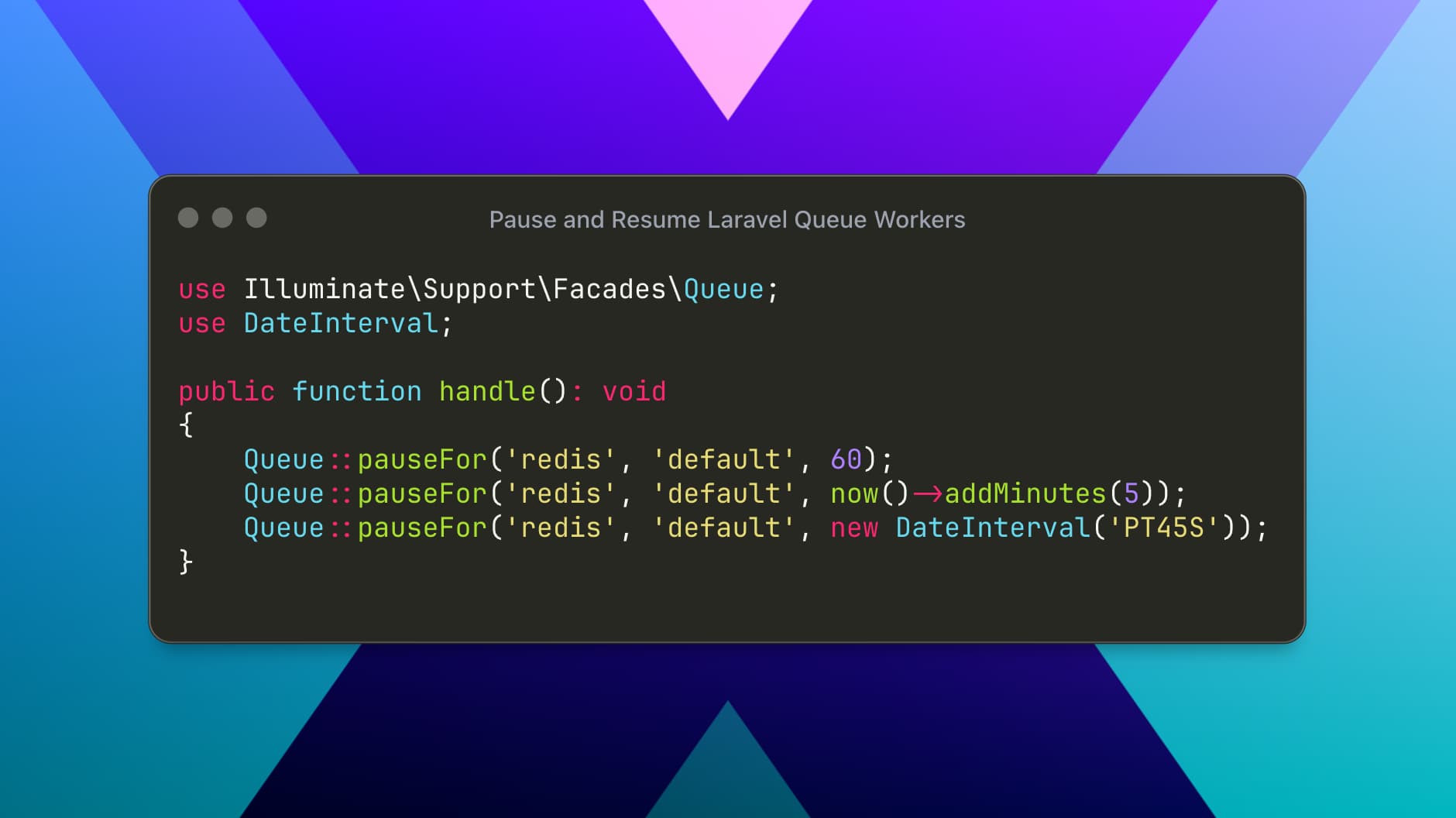
Laravel also supports time‑limited pauses using Queue::pauseFor.
The method accepts:
Connection name
Queue name
A TTL value, which can be:
An integer (seconds)
A
DateTimeInterfaceA
DateInterval
Pause for a Number of Seconds
Queue::pauseFor('redis', 'default', 60);Pause Until a Specific Time
Queue::pauseFor('redis', 'default', now()->addMinutes(5));Pause Using a DateInterval
use DateInterval;

Queue::pauseFor('redis', 'default', new DateInterval('PT45S'));
With pauseFor:
Laravel stores a pause flag with an expiration time.
Workers stop pulling new jobs while the flag is active.
Once the TTL expires, the queue automatically resumes.
You don’t need to call
resumeunless you want to resume early.
Practical Example: Pausing on API Rate Limits (HTTP 429)
A common real‑world use case is handling APIs that respond with HTTP 429 (Too Many Requests) and a Retry-After header.
Here’s a simplified example inside a queued job:
use Illuminate\Support\Facades\Http;
use Illuminate\Support\Facades\Queue;

public function handle(): void
    {
        $response = Http::get('https://example.com/api/data');


        if ($response->status() === 429) {
            $retryAfter = (int) $response->header('Retry-After', 60);


            Queue::pauseFor(
                $this->queueConnection(),
                $this->queueName(),
                $retryAfter
            );


            $this->release($retryAfter);
            return;
        }


        // Normal processing...
    }
Why this works well:
The queue running this job is paused for the exact back‑off period.
Other jobs on the same queue are also temporarily paused.
The current job is released and retried when the pause expires.
This pattern is ideal for rate limiting, external outages, or temporary downstream failures.
Checking Whether a Queue Is Paused
To check a queue’s pause status in code, use Queue::isPaused:
if (Queue::isPaused('redis', 'default')) {
// Skip dispatching jobs or show a warning
}
This returns true if the queue is paused (indefinitely or temporarily), and false otherwise.
How Artisan and Code‑Based Pausing Work Together
Artisan commands and the Queue facade share the same underlying pause state. That means:
You can pause a queue in code and resume it from the CLI.
You can pause with Artisan and resume from application code.
Queue::isPausedreflects the correct state regardless of how the pause was triggered.
There’s no risk of conflicts between the two approaches.