Building search features seems simple at first. Most developers start with a quick LIKE query, and for small projects that works perfectly fine.
But as your application grows, search quickly becomes one of the most performance-critical and complex features in your system.
Slow queries, poor relevance, no typo tolerance, and messy controller logic are all common symptoms of poorly designed search implementations.
In this guide we’ll walk through how to build search in Laravel the right way, progressing through different stages of application growth:
Basic
LIKEqueriesProper database indexing
MySQL Full-Text search
Laravel Scout abstraction
External search engines like Algolia
Performance improvements like caching and queues
By the end, you'll know which search solution is appropriate at every stage of your application’s lifecycle.
1. The Classic Starting Point: WHERE LIKE
At the beginning of most Laravel projects, search looks something like this:
$results = Product::where('name', 'LIKE', '%' . $request->q . '%')->get();This approach works because:
It requires no additional setup
It is quick to implement
It works well with small datasets
A more realistic example might search multiple columns.
$keyword = $request->input('q');

$products = Product::where('name', 'LIKE', "%{$keyword}%")
    ->orWhere('description', 'LIKE', "%{$keyword}%")
    ->paginate(15);
Why This Eventually Breaks Down
While simple, this approach has several problems.
1️⃣ Full Table Scans
When using:
LIKE '%keyword%'MySQL cannot use an index.
Instead, it scans every row in the table, which becomes slow when your database grows.
Example:
RowsQuery Time5k rows~20ms100k rows~200ms1M rows1s+
2️⃣ No Typo Tolerance
If the user searches:
laptpoThey will get zero results.
Modern users expect search to behave like Google.
3️⃣ Search Logic Everywhere
If your controllers contain multiple search conditions, the logic quickly becomes messy.
Example of bad practice:
public function index(Request $request)
{
    $products = Product::where('name', 'LIKE', "%{$request->q}%")
        ->orWhere('description', 'LIKE', "%{$request->q}%")
        ->orWhere('sku', 'LIKE', "%{$request->q}%")
        ->get();
}
Controllers should not handle business logic.
2. Clean Architecture: Move Search Logic to Model Scopes
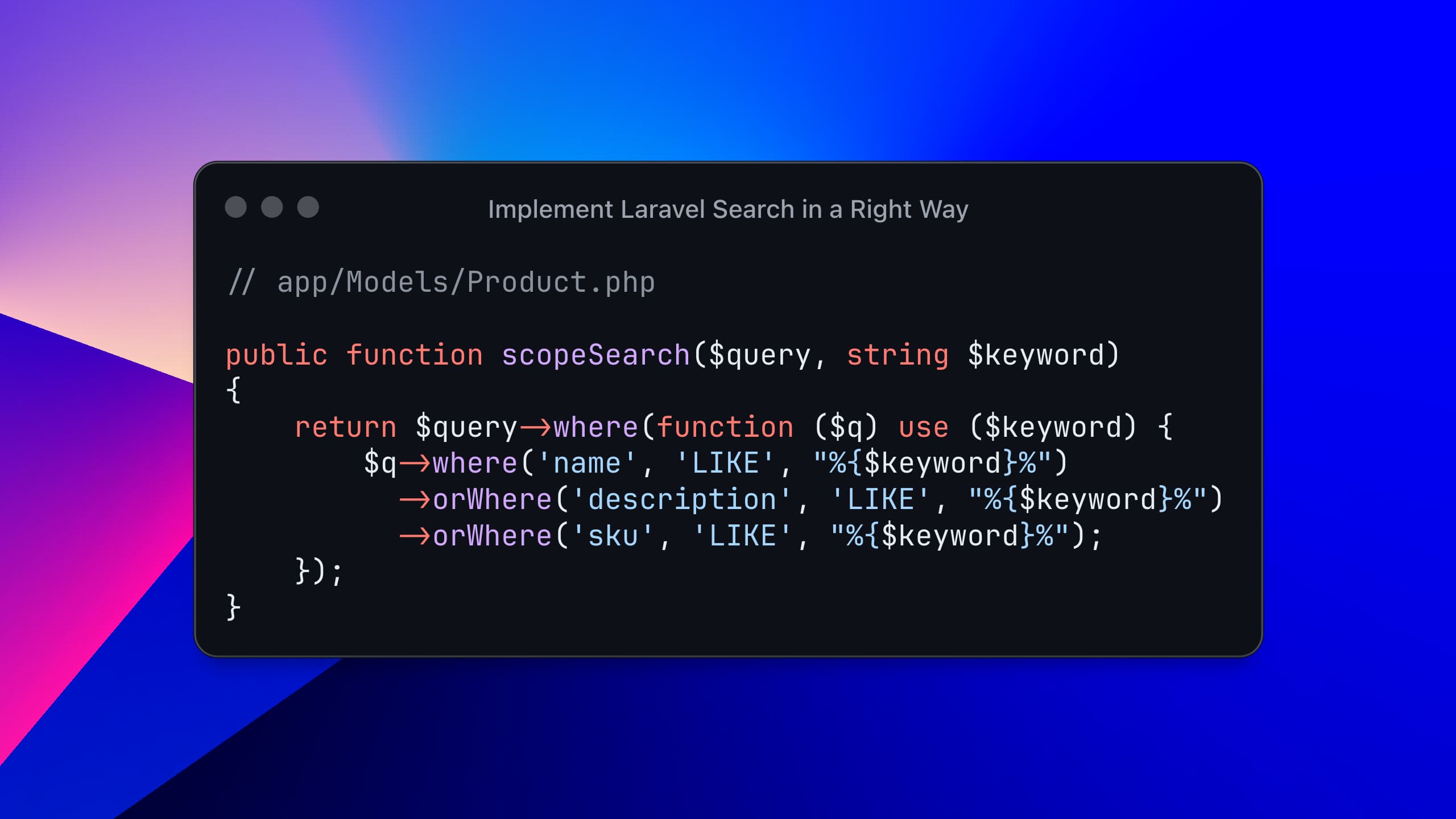
Instead of cluttering controllers, move search logic to the model.
Product Model
// app/Models/Product.php

public function scopeSearch($query, string $keyword)
{
    return $query->where(function ($q) use ($keyword) {
        $q->where('name', 'LIKE', "%{$keyword}%")
          ->orWhere('description', 'LIKE', "%{$keyword}%")
          ->orWhere('sku', 'LIKE', "%{$keyword}%");
    });
}
Controller
public function index(Request $request)
{
    $products = Product::query()
        ->when($request->filled('q'), fn($q) => $q->search($request->q))
        ->paginate(15);

    return view('products.index', compact('products'));
}
Benefits:
✔ Controllers stay clean
✔ Search logic is reusable
✔ Easier to test
3. Database Indexes: The Free Performance Boost
Many developers overlook database indexes, yet they are one of the easiest ways to improve performance.
An index works like the table of contents in a book. Instead of scanning the entire table, the database jumps directly to relevant rows.
B-Tree Index (Standard Index)
Works well for:
Exact matches
Prefix searches
Example migration:
Schema::table('products', function (Blueprint $table) {
    $table->index('name');
});
Now queries like this become faster:
SELECT * FROM products WHERE name LIKE 'laptop%';Important Limitation
This will NOT use the index:
LIKE '%laptop%'Because the wildcard appears at the beginning.
4. MySQL Full-Text Search (The Real Upgrade)
For serious search functionality, MySQL provides Full-Text Indexing.
Advantages:
Faster than
LIKESupports ranking
Designed for text search
Creating a Full-Text Index
Migration example:
Schema::table('products', function (Blueprint $table) {
    $table->fullText(['name', 'description']);
});
Querying Full-Text Search
Laravel provides a helper method:
$products = Product::whereFullText(
    ['name', 'description'],
    $keyword
)->paginate(15);
MySQL automatically calculates relevance scores.
Full-Text Boolean Mode
Boolean mode allows advanced search syntax.
Example query:
$products = DB::table('products')
    ->whereRaw(
        "MATCH(name, description) AGAINST(? IN BOOLEAN MODE)",
        ['+laptop +gaming -refurbished']
    )
    ->get();
Meaning:
OperatorMeaning+required word-excluded word" "exact phrase
Example:
+"gaming laptop" -refurbished5. Laravel Scout: Unified Search Abstraction
As applications grow, search requirements become more complex:
searching multiple models
typo tolerance
ranking
filtering
geo search
faceted filters
Laravel provides Scout, a driver-based abstraction layer for search engines.
Official docs: https://laravel.com/docs/scout
Installing Scout
composer require laravel/scoutPublish configuration:
php artisan vendor:publish --provider="Laravel\Scout\ScoutServiceProvider"6. Making a Model Searchable
Add the Searchable trait.
use Laravel\Scout\Searchable;

class Product extends Model
{
    use Searchable;

    public function toSearchableArray(): array
    {
        return [
            'id' => $this->id,
            'name' => $this->name,
            'description' => $this->description,
            'category' => $this->category->name ?? null,
            'price' => $this->price,
        ];
    }
}
This method defines what data gets indexed.
You can include:
relationships
computed values
formatted data
7. Searching with Scout
Basic search:
$products = Product::search($request->q)->paginate(15);Search with filters:
$products = Product::search($request->q)
    ->where('is_active', true)
    ->paginate(15);
8. Scout Drivers
Scout supports multiple drivers.
DriverUse Casedatabasesmall-medium appscollectionlocal developmentmeilisearchfast open-source enginetypesensemodern search enginealgoliaenterprise-grade search
9. Scout Database Driver (Underrated Option)
Many developers jump straight to Algolia.
But if you are using MySQL or PostgreSQL, Scout's database driver is often enough.
Set in .env:
SCOUT_DRIVER=databaseEnsure your migration contains a full-text index.
$table->fullText(['name', 'description']);Then import your models.
php artisan scout:import "App\Models\Product"Now searches automatically use the database full-text engine.
10. Algolia — Best for Large Applications
When applications reach millions of records, dedicated search engines shine.
Algolia provides:
✔ Typo tolerance
✔ Instant results (<1ms)
✔ Search analytics
✔ Faceted filters
✔ Ranking control
Install Algolia Driver
composer require algolia/algoliasearch-client-phpSet environment variables:
SCOUT_DRIVER=algolia
ALGOLIA_APP_ID=your_app_id
ALGOLIA_SECRET=your_admin_key
Import data:
php artisan scout:import "App\Models\Product"Search remains the same:
$products = Product::search($request->q)->paginate(10);Scout abstracts the engine completely.
11. Queue Your Indexing
Indexing to external services requires API calls.
Without queues:
User saves product → API request → slow responseEnable queueing.
SCOUT_QUEUE=trueConfigure queue:
'queue' => [
    'connection' => 'redis',
    'queue' => 'scout',
]
Run worker:
php artisan queue:work redis --queue=scoutNow indexing happens in the background.
12. Flexible Search Filters
Real search systems often combine filters.
Example:
keyword
category
price range
status
Clean implementation using when():
$products = Product::query()
    ->when($request->filled('q'), function ($query) use ($request) {
        $query->where(function ($q) use ($request) {
            $q->where('name', 'LIKE', "%{$request->q}%")
              ->orWhere('description', 'LIKE', "%{$request->q}%");
        });
    })
    ->when($request->filled('category_id'), fn($q) =>
        $q->where('category_id', $request->category_id)
    )
    ->when($request->filled('min_price'), fn($q) =>
        $q->where('price', '>=', $request->min_price)
    )
    ->when($request->filled('max_price'), fn($q) =>
        $q->where('price', '<=', $request->max_price)
    )
    ->paginate(15);
when() keeps queries clean and readable.
13. Validate Search Input
Never trust raw input.
Use Form Request validation.
class ProductSearchRequest extends FormRequest
{
    public function rules(): array
    {
        return [
            'q' => 'nullable|string|max:100',
            'category_id' => 'nullable|integer|exists:categories,id',
            'min_price' => 'nullable|numeric|min:0',
            'max_price' => 'nullable|numeric|gte:min_price',
        ];
    }
}
Benefits:
✔ prevents SQL abuse
✔ keeps controller clean
14. Cache Popular Searches
Some search terms repeat often.
Example:
iphone
laptop
monitor
Cache results.
$cacheKey = 'search:' . md5($keyword);

$products = Cache::remember(
    $cacheKey,
    now()->addMinutes(5),
    fn() => Product::search($keyword)->paginate(15)
);
Even a 5-minute cache can drastically reduce database load